Make room for the whole job.
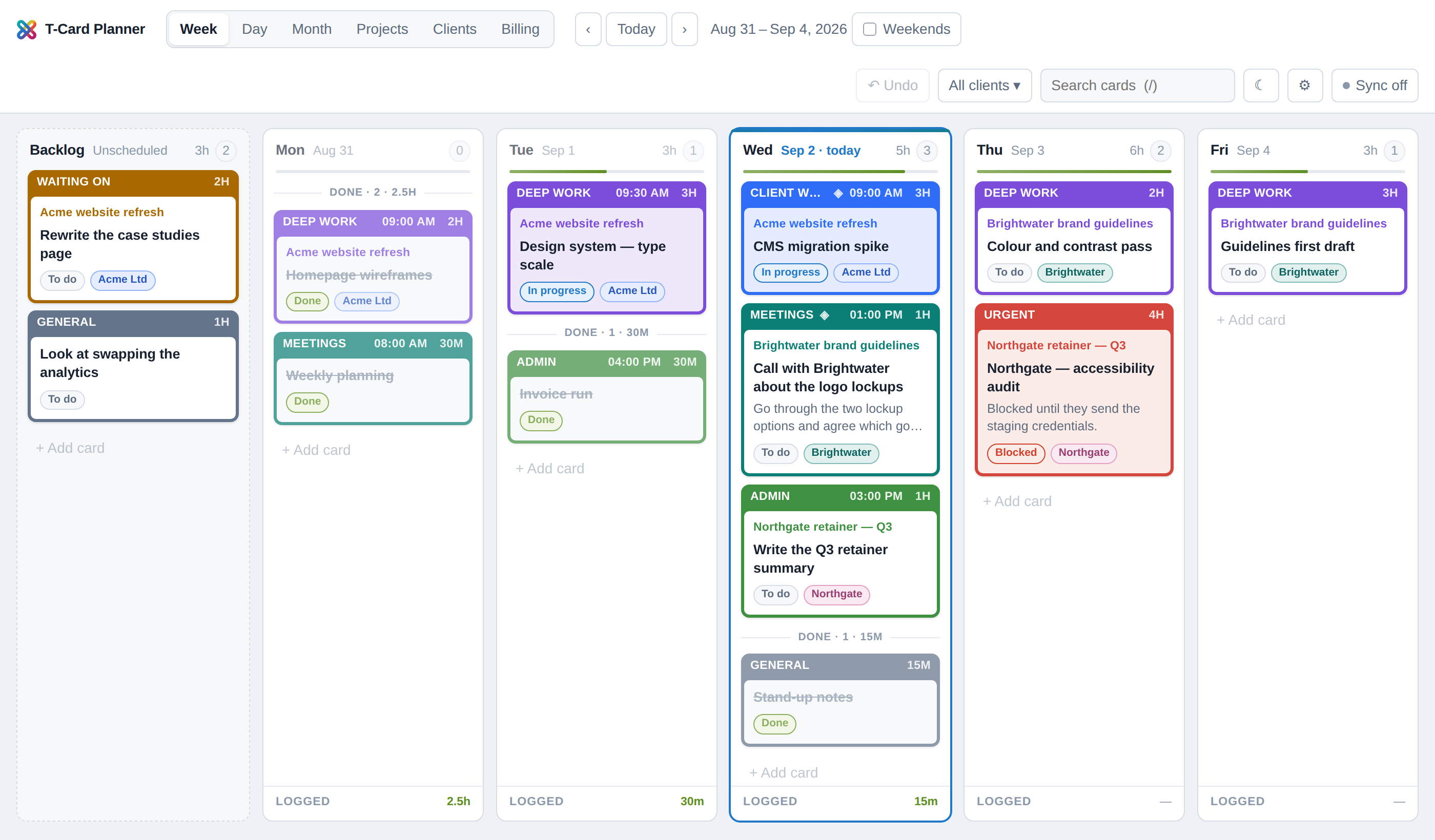
Put shoots, editing, meetings and admin into your week. Keep unscheduled work in the backlog and move cards as plans change.
 T-Card Planner
Your shoots, edits, clients and invoices all belong to the same business. Get them into the same picture.
T-Card Planner brings a visual working week together with the business behind it—so you can see what needs your attention.
THE WORK AROUND THE WORK
A shoot is only part of the job. There’s the enquiry, the brief, the edit, the follow-up—and remembering to invoice it.
Put shoots, editing, meetings and admin into your week. Keep unscheduled work in the backlog and move cards as plans change.
Track projects from enquiry to paid. Keep the brief, files, client and project value together, with the tasks that move it forward.
See delivered jobs waiting to be invoiced. Organise billing by month and include chargeable expenses in the project’s billable value.
ONE BUSINESS. CONNECTED VIEWS.
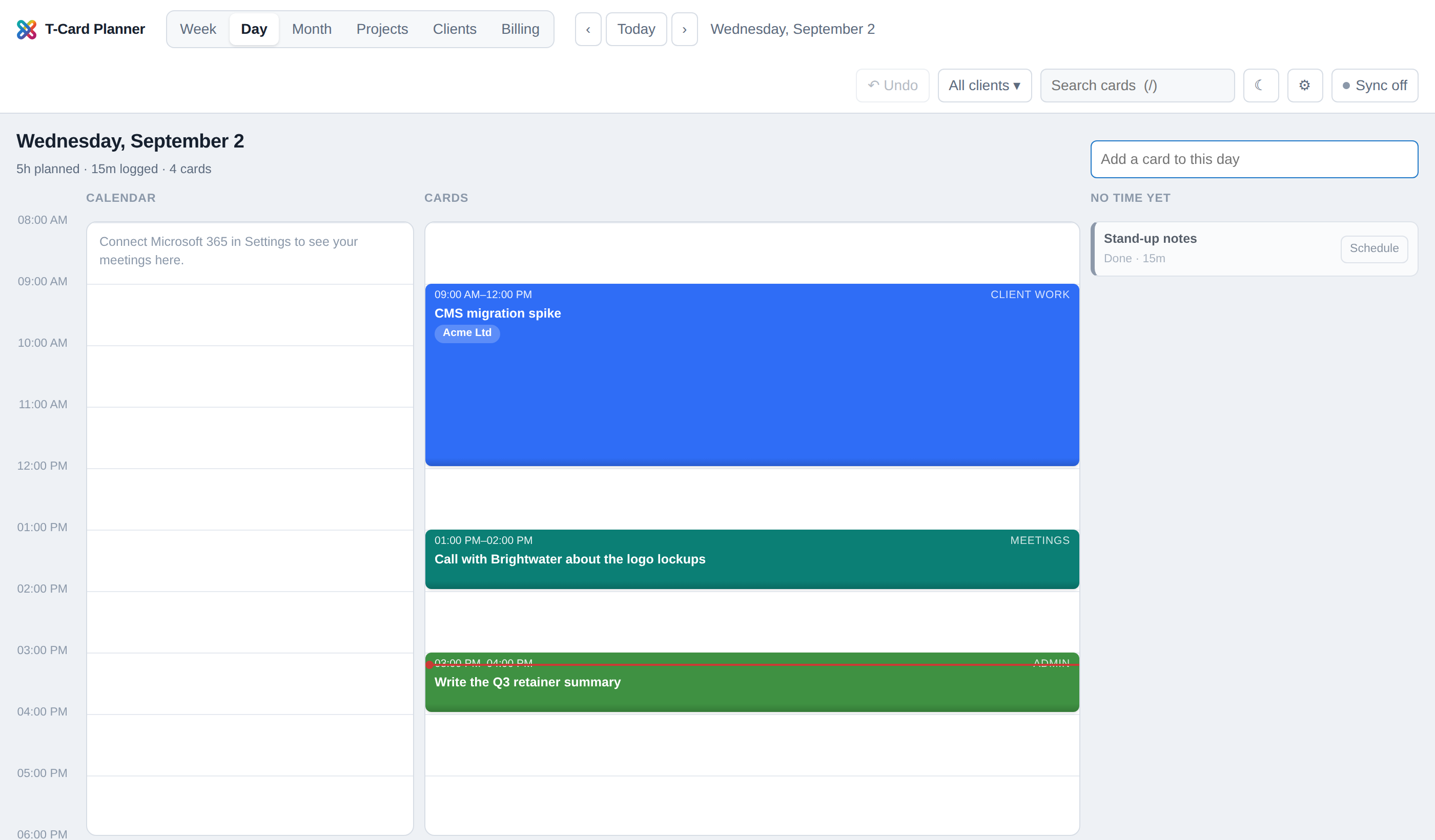
Plan against the clock. Drag tasks into place and resize them to estimate how long they’ll take. With Microsoft 365 connected, see existing calendar commitments alongside your plan.
Useful when a shoot, a client call and a deadline all land on the same day.
THE DETAILS STAY WITH THE JOB
Keep the context close, whether you’re planning a production or catching up on the business side.
Rich text descriptions, checklists, images and files on cards and projects.
Contacts, preferences and billing details, with follow-up work you can schedule on the board.
See estimated and logged hours alongside project values and expenses.
Connect Microsoft 365 to see commitments and publish scheduled cards to your calendar.
BUILT FOR REAL WORK. SHAPED BY YOURS.
I’m inviting fellow photographers and videographers to try T-Card Planner and tell me what helps, what gets in the way, and what’s missing.
This is an early beta. Expect a work in progress, a direct conversation, and the chance to influence what comes next.
Email Ben to join the betaOpens your email app. Or write to hello@projectxcreative.com.
Freelance photographers and videographers juggling client work, production, editing and business admin. The initial group is people I know, so feedback can be hands-on and direct.
The Billing view helps you organise what needs invoicing and track project stages. It doesn’t create or send invoices. There’s also an optional Xero connection for linking existing invoices and checking their status.
Email Ben using the link above. Beta access is arranged directly—there’s no instant account signup on this page.
It’s an early beta with working planning and business management features. Your feedback will help refine the workflow and decide what needs attention next.